
The syllabus, live on your classroom board.
ASM Teach turns each chapter of physics, chemistry and maths into an experiment the class can change. Move the length of a pendulum and the period is worked out again, with the formula, the derivation and a picture of what happens. The teacher writes beside it on a smart whiteboard, sets tests from the same experiments, and tracks the syllabus class by class.
Approved schools get a 7-day trial. Works in a browser on the boards and laptops you already have.
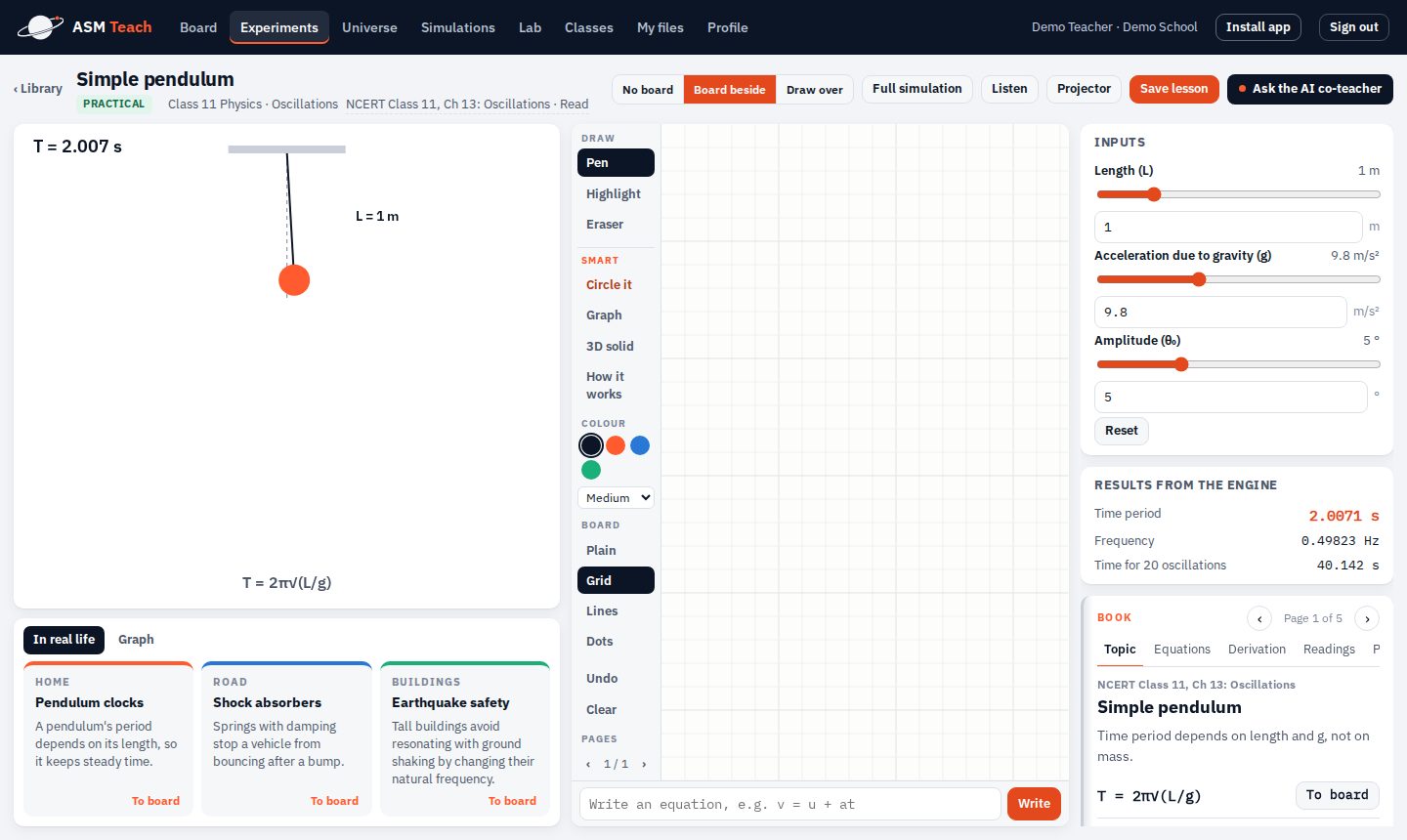
A Class 11 practical with the board beside it. Every number on the right comes from the engine.
Everything a teacher needs for the period, in one place.
No switching between a video player, a slide deck, a whiteboard app and a test portal. One screen holds the lesson.
The library follows the book your school uses
CBSE schools see their NCERT books chapter by chapter, with the book link and the experiments for each chapter. CISCE schools see ICSE and ISC units. State board schools get the same library grouped by topic.
- Physics, chemistry and maths for the science stream
- Accountancy, business studies, economics and applied maths for commerce; economics, geography, political science, psychology, sociology and history for arts
- Search by chapter, or type an equation like T = 2π√(L/g) to find its experiment
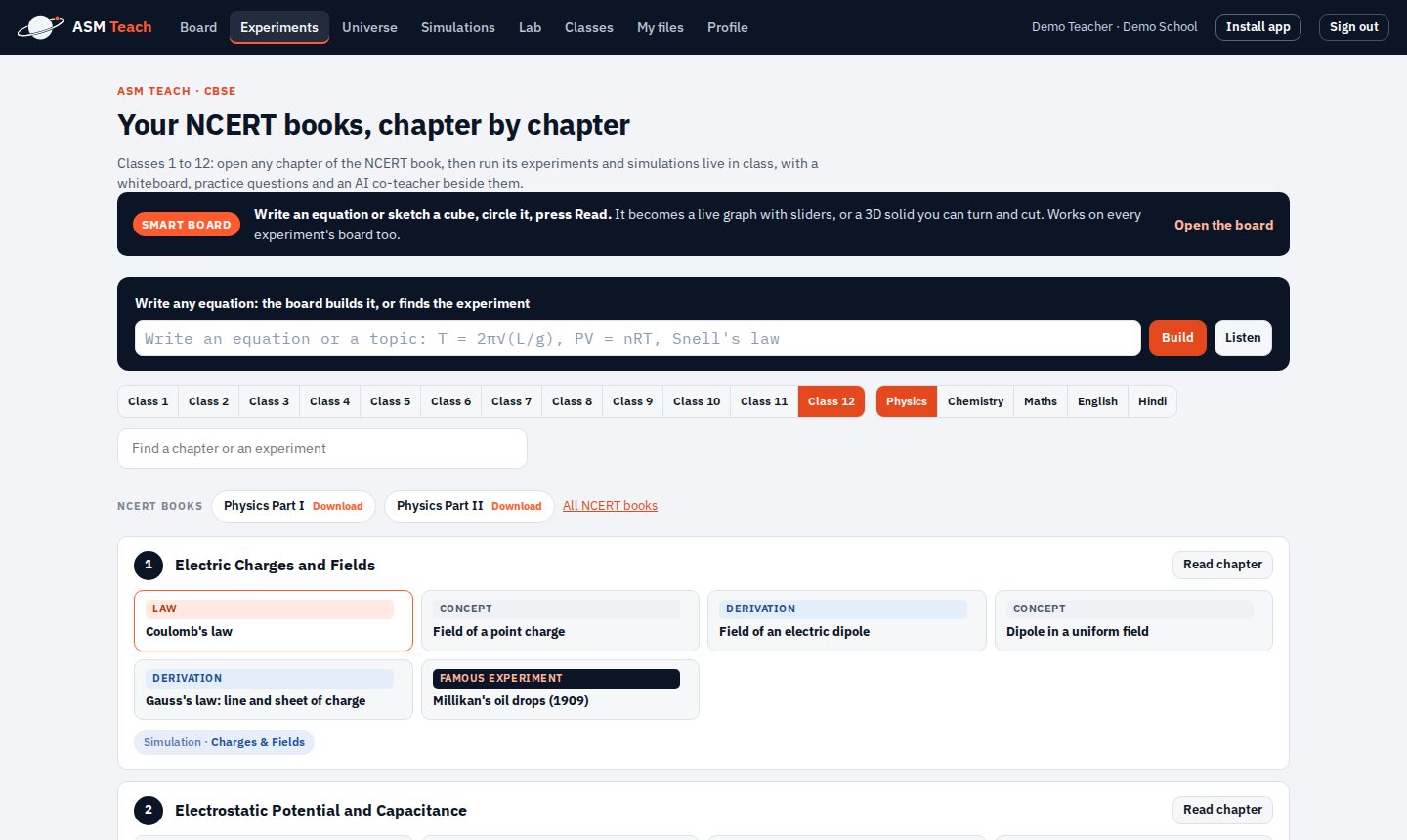
Write an equation, get a live graph. Sketch a cube, get a 3D solid.
The board is a full whiteboard with pens, highlighter, pages and plain, grid or ruled paper. Circle what you wrote and press Read: an equation becomes a graph with a slider for every letter, and a sketched cube or pyramid becomes a solid you can turn and cut.
- Board beside the experiment, or drawn over it
- Listen mode: say "T equals 2 pi root L by g" and the board follows
- Videos, web pages and the teacher's own PDFs and slides open on the same board
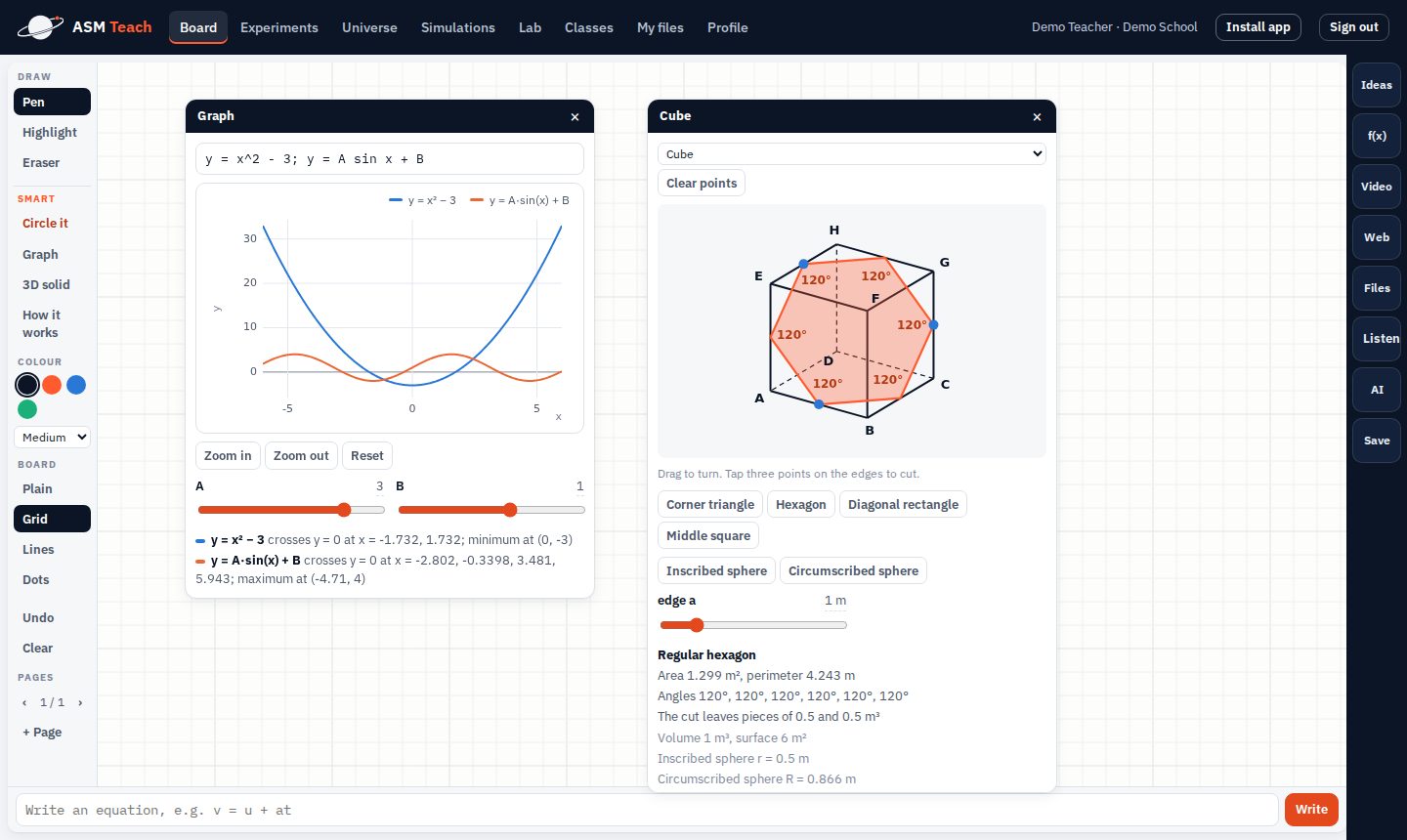
Track the syllabus and set tests from the same experiments
Each teacher adds their classes. Every chapter of the book shows as not started, planned or taught, so the school can see how far each class has reached. Tests are made from the experiments, with answers worked out by the engine.
- Students answer from home through a link
- Results per student and per question, and the questions most of the class got wrong
- Lessons saved with the inputs, the board pages and the readings, to reopen next year
A lab bench for every classroom
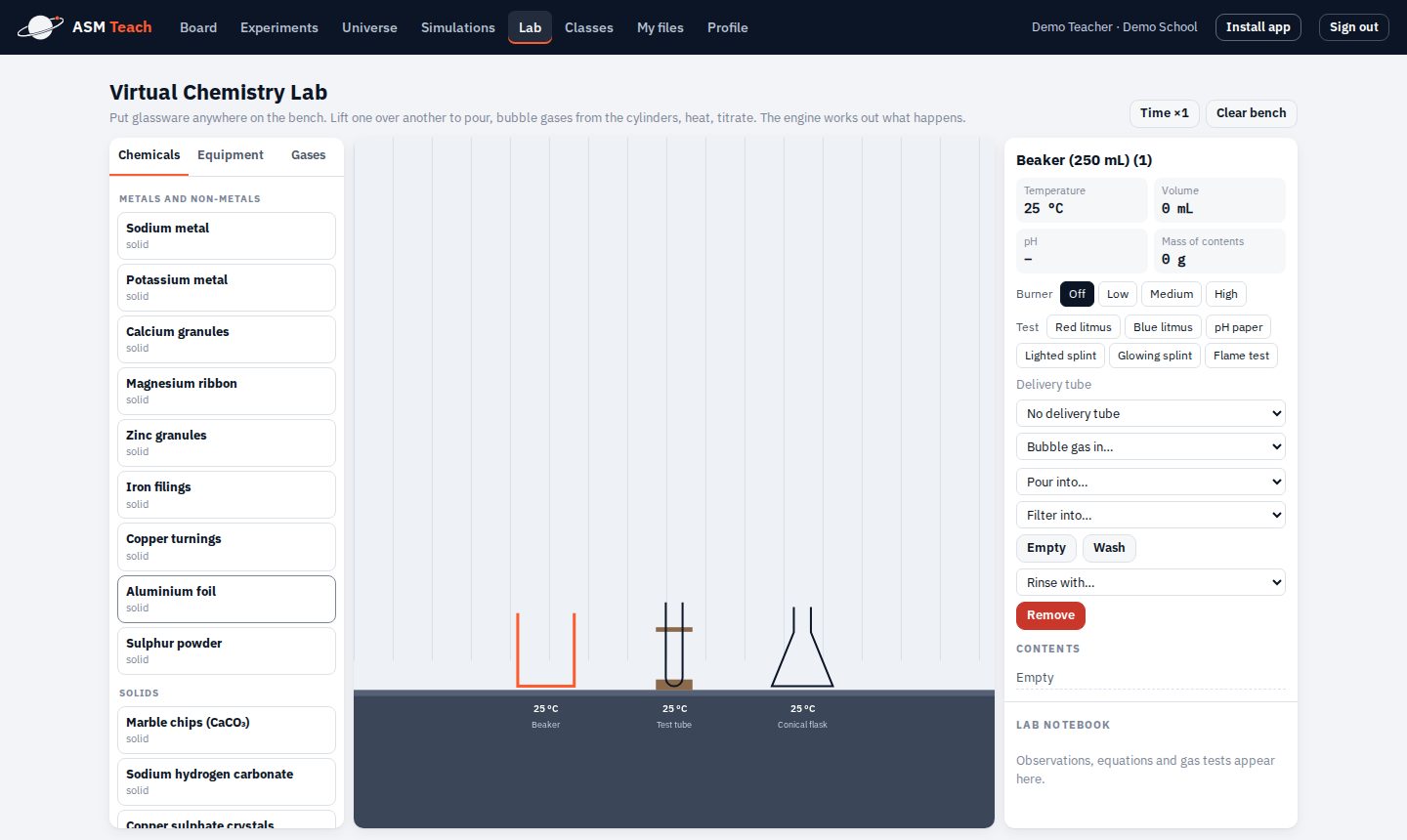
A shelf of chemicals and glassware, a burner and a burette. Pour, heat, titrate and test gases; the engine works out what happens, with balanced equations, temperatures and pH. Good for practicals a school cannot run safely in every class.
- Litmus, pH paper, splint and flame tests
- Filtering, evaporating to crystals and a delivery tube for gases
- A lab notebook that writes down what was observed
Built for the people in the room.
Teachers
Less time preparing. Open the chapter, change a value when a student asks "what if", and write the working beside it.
- An AI co-teacher for a quick explanation or a real-life example
- Projector mode for the whole class
- Practice questions with worked answers
Students
They see the formula do something. A changed value gives a changed answer, so they learn why, not only what to write.
- Real-life examples for every chapter
- Homework through a link, on any phone
- Readings and graphs like a real practical
School leaders
One account for the school, with teachers added by the admin and a clear view of what is being taught.
- Add, pause and reset teacher accounts
- Usage per teacher and the most used experiments
- Syllabus progress and test results per class
Most classroom content is recorded. ASM Teach is computed.
Here is how it compares with the kind of smart class content many schools already use.
| Typical smart class content | ASM Teach | |
|---|---|---|
| When a student asks "what if" | The video or animation shows one fixed case. | Change any value, even outside the slider range, and the answer is worked out again. |
| Where the numbers come from | Typed into the animation when it was made. | A tested engine built on scientific libraries, checked against textbook values. |
| The board | A separate whiteboard app, or a pen over a video. | The board knows maths: a written equation becomes a live graph, a sketch becomes a 3D solid. |
| Tests | A separate portal, often with a fixed question bank. | Questions made from the same experiments, answers worked out by the engine, results per question. |
| Hardware | Often needs a box, a dongle or a particular panel. | Runs in a browser on the boards, projectors and laptops the school already has. |
| Your syllabus | One set of content for everyone. | Chapters from your board's books, and the teacher's own files on the same screen. |
Made for the period, and for the whole year.
In the classroom
- Physics, chemistry and maths from Class 1 to 12, where formulas, graphs and practicals matter
- Commerce and arts calculations in Classes 11 and 12, such as accounts and economics
- Practicals a school cannot run in every section, every year
- Revision, where students change values and see the result for themselves
- A teacher who wants to answer "what if" on the spot
For the school
- The chapters, classes and subjects you teach, set up for your board when you join
- How far each class has reached in the syllabus, chapter by chapter
- Tests and homework with results per student and per question
- Usage per teacher and the most used experiments
- A server we set up at your school, your own server, or ours in the cloud
Work out your price.
₹28,000 a month for a school with 30 smart boards, and at least ₹9,500 a month for any school. Fill in your details and see what it comes to for yours. No separate charge per teacher or per student.
| ASM Teach, 30 boardsMinimum monthly price | ₹28,000 |
| Server | Included |
| GST (18%) | ₹5,040 |
| Total a month | ₹33,040 |
| One-time server fee, with GST | ₹1,06,200 |
| First year, with the server | ₹5,02,680 |
Includes the whole library, accounts for all your teachers, smart whiteboard, chemistry lab, tests and homework, 300 MB of files per teacher, training and support. Approved schools start with a 7-day trial.
From request to first class in a few steps.
What schools usually ask.
What do we need in the classroom?
A digital board, a projector with a laptop, or any screen with a modern browser and an internet connection. ASM Teach can also be installed as an app on boards, laptops, tablets and phones.
Which boards and classes does it cover?
CBSE (NCERT books), CISCE (ICSE and ISC) and state boards, from Class 1 to 12, with science for every class and commerce and arts for Classes 11 and 12. When your school joins, we set up the chapters, classes and courses you teach.
What are the three server options?
Without our server, we set up a server at your school that stays with you for good, for a one-time fee (₹45,000 up to 10 boards, ₹90,000 up to 40, ₹1,30,000 above, plus GST). With our server, ASM Teach runs on our cloud and the server cost is added to the monthly price. On your own server, we install ASM Teach on a server your school already has, at no extra charge. In every case the price for ASM Teach itself is the same.
Do students need accounts?
No. Teachers have accounts made by the school admin. Students answer tests and homework through a link the teacher shares.
Is the AI always right?
The numbers never come from the AI. Every value, graph and answer is worked out by the engine, which is checked against textbook results. The AI co-teacher only helps explain, and the teacher stays in charge.
Can teachers use their own material?
Yes. PDFs, slides, pictures and videos can be uploaded and opened on the board next to the experiments.
What happens after the 7-day trial?
We write to you with the price for your number of boards, the same as the calculator above. If you continue, nothing changes for your teachers; their classes, lessons and tests stay as they are.
We are a coaching centre, not a school. Can we use it?
Yes. Request access in the same form and tell us about your institution.
Bring live experiments to your classrooms.
Request access for your school or institution. Once approved, you get a 7-day trial with everything included.